
How to Use an AstroAI Tire Inflator Correctly
This step-by-step guide shows you how to find the right PSI, connect an AstroAI tire inflator, set the pressure, use auto shutoff, avoid overheating, and store the pump safely after use.

Quick answer: the safe way to use an AstroAI tire inflator
Check the recommended cold tire pressure on the driver-side door placard or in your vehicle owner’s manual. Connect the inflator to power, attach the air hose to the valve stem, set the target PSI, press start, and let the auto shutoff stop the pump when the target pressure is reached.
After inflation, remove the hose carefully, reinstall the valve cap, and let the inflator cool before storing it. Do not use a small car inflator continuously beyond the model’s stated duty cycle.
Before you start: find the correct tire pressure
The most common mistake is setting the inflator to the number printed on the tire sidewall. That number is usually the tire’s maximum pressure, not the pressure your vehicle manufacturer recommends for normal driving.
Where to find the right PSI
- Open the driver-side door and look for the Tire and Loading Information label.
- Check the owner’s manual if the label is missing or hard to read.
- Use the front and rear tire values separately if your vehicle lists different pressures.
- Check the spare tire too, especially before a road trip.
When to check pressure
For the most accurate reading, check tires when they are cold, meaning the car has not been driven for several hours. If you must inflate a warm tire, treat it as a temporary adjustment and recheck later when the tire is cold.
How to use an AstroAI tire inflator step by step
Park safely and prepare the tire
Park on a flat, safe surface away from traffic. Put the vehicle in park, apply the parking brake, and remove the valve cap from the tire you want to inflate.
Tip: keep valve caps in your pocket so they do not roll away.Connect the inflator to power
For 12V AstroAI models, plug the power cord into the vehicle’s 12V outlet. For cordless models, make sure the battery is charged. For AC/DC models, choose the correct home outlet or vehicle power input before switching on.
Do not power a 12V-only model from a USB port.Attach the air hose to the valve stem
Screw or clamp the hose connector onto the tire valve until it is secure. A short hiss is normal while connecting, but continuous leaking usually means the connector is not seated correctly.
If pressure reads 0, recheck the hose connection first.Select the pressure unit
Most AstroAI inflators let you switch between PSI, BAR, kPa, and sometimes kg/cm². For most U.S. vehicles, select PSI because the door placard usually lists tire pressure in PSI.
PSI is the easiest unit for most U.S. drivers.Set the target PSI
Use the plus and minus buttons, mode button, or preset mode to set the target pressure from your vehicle placard. If your tire is at 28 PSI and the target is 35 PSI, set the inflator to 35 PSI, not 7 PSI.
Set the final target pressure, not the amount of air to add.Start inflation and monitor the pump
Press the start button. The display should show the current pressure rising toward the preset target. Stay near the inflator while it runs, especially if the tire is very low.
Auto shutoff helps, but do not leave the pump unattended.Let auto shutoff stop the inflator
When the target PSI is reached, the inflator should stop automatically on models with preset pressure. If your model does not stop or if pressure looks wrong, turn it off and recheck the connector and settings.
A 1 PSI difference can happen after disconnecting the hose.Disconnect, check, and cool down
Turn off the inflator, remove the hose carefully, reinstall the valve cap, and let the unit cool before storage. If you need to inflate multiple tires, follow the runtime and cooldown limits for your exact model.
Never pack away a very hot inflator immediately.How to set PSI on an AstroAI tire inflator
The exact buttons differ by model, but the logic is usually the same: choose the unit, choose the mode, set the target pressure, then press start.
| Screen or button | What it usually means | What to do |
|---|---|---|
| PSI / BAR / kPa | Pressure unit selection | Select PSI if your vehicle label is in PSI. |
| Car / motorcycle / bike / ball | Preset inflation modes | Use the matching mode as a starting point, then adjust the pressure if needed. |
| + / − buttons | Target pressure adjustment | Set the final PSI listed on your vehicle placard. |
| Current value | Pressure already inside the tire | Use it to understand how low the tire is before inflating. |
| Preset value | Pressure where the pump should stop | Confirm this number before pressing start. |
Model-specific notes for AstroAI inflators
AstroAI makes several styles of tire inflator. The basic steps are similar, but the power source and cooldown behavior can differ.
| Model type | How to power it | Best use | Watch out for |
|---|---|---|---|
| 12V compact models, such as S1 | Vehicle 12V outlet | Car tire top-offs, bikes, balls, emergency trunk storage | Do not use from USB; respect the continuous runtime limit. |
| Cordless models, such as L7 / L7 Mini / L10 Mini | Built-in battery or removable battery, depending on model | Glovebox use, road trips, bikes, motorcycles, quick top-offs | Charge before trips and avoid heavy-duty truck/RV tires unless the manual says otherwise. |
| AC/DC models | Home AC outlet or vehicle DC outlet | Home garage use plus travel use; some models also handle air mattresses with large-volume mode | Use the correct mode: high pressure for tires, large volume for low-pressure inflatables. |
| Truck/off-road models, such as T4, T6, TC3 | 12V battery clips, 12V DC, or battery depending on model | Pickup, SUV, RV, ATV, 4×4 and larger tire support | Check the tire size limit, airflow rating, and duty cycle before use. |
Recommended AstroAI models by use case
Use this section to guide readers from the support article to the right commercial pages without forcing a hard sell.
AstroAI S1
Good for drivers who want a compact 12V inflator with digital screen, preset PSI and auto shutoff.
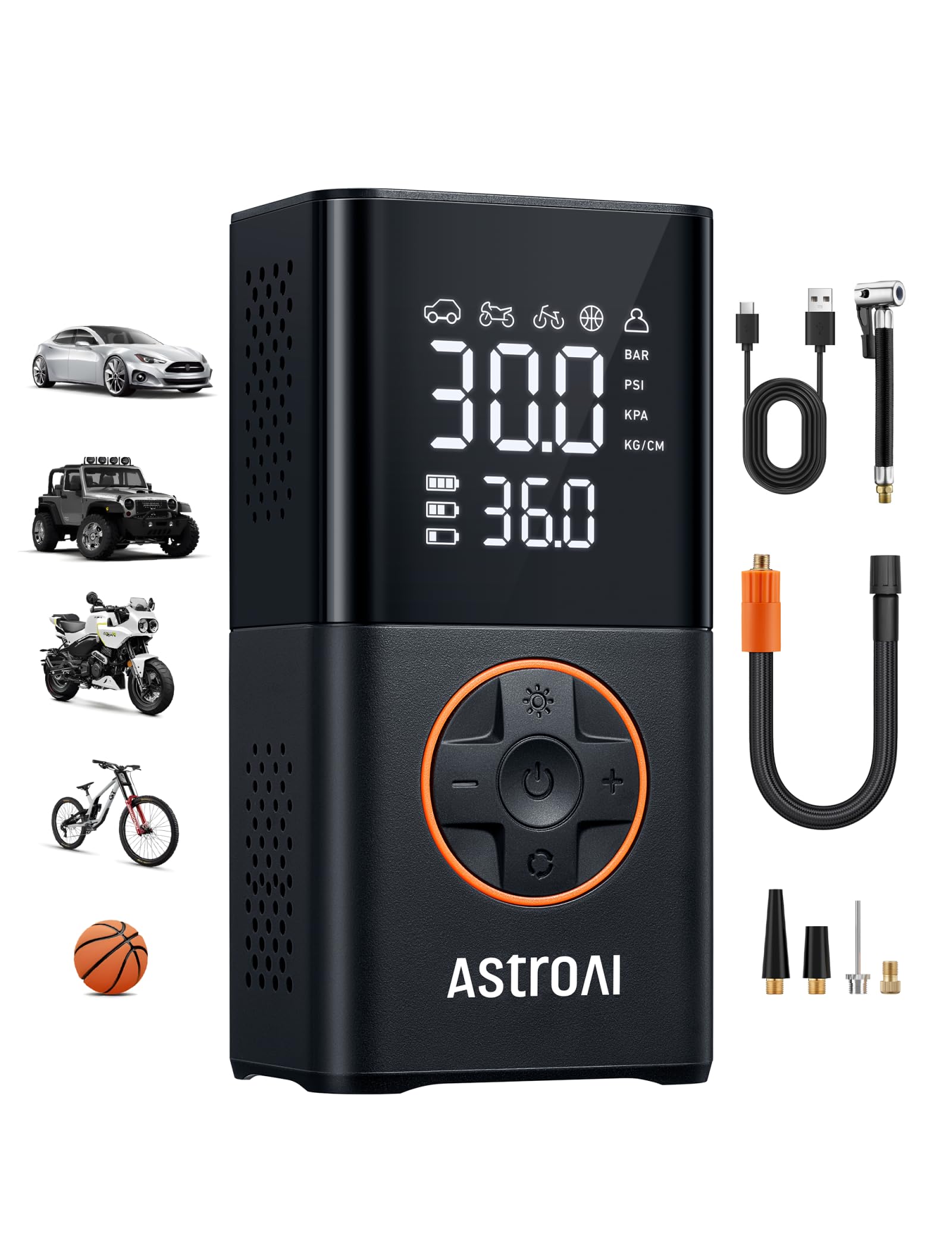
AstroAI L7
Better if you want a compact cordless pump for car tire top-offs, bikes, motorcycles and balls.

AstroAI AC/DC
Useful when you want one inflator for garage outlets, car outlets, tires and low-pressure inflatables.

AstroAI T6
Better for larger off-road tires where airflow, reach and runtime matter more than pocket size.
Video: AstroAI tire inflator demonstration
How to use the video in the article
This video can help readers understand the basic sequence: connect power, attach the hose, set the pressure and start inflation. Keep the written guide above as the primary instruction because AstroAI models vary.
Editorial note: This embedded video is an external demonstration. It should not replace the user manual for a specific AstroAI model.
Read NHTSA tire safety guidanceCommon mistakes to avoid
Do not overinflate from the sidewall number
The number on the tire sidewall is usually the maximum pressure the tire can hold. For normal driving, use the vehicle manufacturer’s recommended cold pressure from the door placard or manual.
Do not ignore heat and cooldown time
Small portable inflators work hard. If the pump, hose area, or plug becomes very hot, pause and let it cool. Some AstroAI models list a maximum continuous runtime, such as 15 minutes for compact 12V models.
Do not use the wrong adapter
Use the Schrader valve connection for most car tires. Use the needle for balls and the correct nozzle for low-pressure inflatables. A wrong adapter can leak air and make the display look inaccurate.
Do not use car models for heavy-duty tires
Many compact AstroAI tire inflators are not designed for heavy-duty trucks, RVs, trailers or large off-road tires. For those cases, choose a truck/off-road model and follow its stated tire size limit.
FAQ
Should the car engine be running when using an AstroAI tire inflator?
For many 12V tire inflators, running the engine helps keep the vehicle battery stable while the inflator draws power. Always follow the manual for your exact model and use the inflator in a safe, ventilated place.
How do I set PSI on an AstroAI air compressor?
Select PSI as the pressure unit, then use the plus and minus buttons or preset mode to set the target pressure from your vehicle door placard. Press start after confirming the preset value.
Why does my AstroAI tire inflator stop automatically?
If your AstroAI inflator has auto shutoff, it stops when the preset pressure is reached. If it stops too early, check that the preset PSI is higher than the current tire pressure and that the hose connection is secure.
Can an AstroAI tire inflator fill a completely flat tire?
Some AstroAI models can add air to a very low tire, but a completely flat tire may have damage, bead seating issues, or a puncture. Use the inflator only as a temporary emergency tool and have the tire inspected.
Why does my AstroAI tire inflator get hot?
Portable inflators generate heat because the motor and compressor are working against tire pressure. Some warmth is normal, but stop and cool the unit if it becomes very hot or reaches the model’s continuous-use limit.
Bottom line
An AstroAI tire inflator is easiest to use when you treat it as a preset-pressure tool: find the correct PSI, connect power, attach the hose, set the target, press start, and let auto shutoff finish the job. The key is using the vehicle’s recommended PSI and respecting the inflator’s runtime limits.