
AstroAI Tire Inflator Not Working: Causes and Fixes
If your AstroAI tire inflator will not turn on, runs but does not inflate, shuts off too soon, shows strange pressure readings, or will not charge, start with these simple checks before replacing it.

Quick diagnosis: try these first
In most cases, an AstroAI tire inflator that “does not work” is being stopped by one of five things: weak power, loose valve connection, low preset PSI, heat protection, or a blown fuse.
Use the table below to match the symptom before buying a replacement. If your unit still fails after these checks, stop using it and contact AstroAI support or replace the unit.
AstroAI tire inflator not working: symptoms and fixes
Start with the symptom that matches your unit. These checks apply to common AstroAI 12V, cordless, AC/DC, and truck/off-road inflators, but always follow the manual for your exact model.
| Problem | Likely cause | Fix to try first | When to stop |
|---|---|---|---|
| AstroAI tire inflator won’t turn on | Loose 12V plug, dead outlet, blown fuse, low battery, incorrectly attached battery pack | Push the plug firmly into the 12V socket, try another vehicle outlet, charge or reseat the battery, and check the plug fuse if your model has one. | Stop if the plug is melted, the cord is damaged, or you smell burning. |
| Runs but does not inflate | Loose nozzle, poor valve seal, air leaking through hose, blocked or damaged adapter | Reconnect the hose squarely to the valve, listen for hissing, try the Schrader adapter again, and test on another tire or ball adapter. | Stop if the valve stem is damaged or the tire cannot hold air. |
| Shuts off before reaching PSI | Target PSI set too low, auto shutoff reached, overheating protection, weak battery | Set the target PSI above current tire pressure, choose the correct mode, let the unit cool, and recharge if cordless. | Check manual if it stops repeatedly after short use. |
| Inflates slowly | Loose nozzle, excessive continuous use, hot motor, large tire beyond the model’s intended use | Reconnect the valve, let the inflator cool, and use a heavier-duty model for truck/RV/off-road tires. | Stop if the pump becomes very hot or the sound changes sharply. |
| Pressure reading looks wrong | Reading taken while air is flowing, loose connection, wrong unit, warm tire pressure, sensor issue | Pause inflation, recheck the connection, confirm PSI/BAR/KPA, and compare with a separate tire gauge. | Verify with a gauge before driving. |
| Cordless AstroAI not charging | Wrong charger, weak USB adapter, hot battery, cold temperature, damaged cable, aging battery | Let it cool to room temperature, use the recommended charging style for your model, try another cable/adapter, and wait for the indicator to confirm charging. | Stop if the battery area swells, smells, leaks, or gets unusually hot. |
Step-by-step troubleshooting checklist
Check the power source
For 12V models, start the car if your manual says to do so, then push the plug firmly into the 12V outlet. If nothing lights up, test another 12V accessory in the same outlet or try a different vehicle outlet.
- For rechargeable models, confirm the battery is charged and fully seated.
- For AC/DC models, confirm you are using the correct power mode for the outlet.
- For truck models with clamps, confirm the clamps are attached securely as the product manual describes.
Confirm the preset PSI is not lower than the tire’s current pressure
Many AstroAI inflators stop automatically when the target pressure is reached. If the preset value is lower than the current tire pressure, the unit may appear to stop too early or not inflate.
Use the vehicle placard or owner’s manual for the recommended cold tire pressure, not the maximum PSI printed on the tire sidewall.
Reconnect the hose and valve
A loose Schrader connection can make the motor run while the tire does not gain pressure. Remove the nozzle, attach it straight, tighten or lock it depending on the model, then listen for air leakage.
- If you hear hissing at the valve, reconnect the nozzle.
- If air leaks from the hose, stop and inspect the hose/nozzle for damage.
- If the tire valve is bent or damaged, stop and get tire service.
Let the inflator cool down
Compact tire inflators can slow down or shut off after extended continuous operation. Turn it off, unplug it, and let it cool before trying again. Follow the cooldown time in your exact product manual.
Do not keep restarting a hot pump. Heat can reduce performance and shorten the life of the motor.
Check the fuse only if your model uses one
Many 12V inflators include an in-line or plug fuse. If the unit has no power after checking the outlet, inspect the fuse according to the manual and replace only with the same rating specified for your model.
Do not bypass a fuse or use a random higher-rated fuse. If the new fuse blows again, stop using the inflator and contact support.
Compare pressure with a separate tire gauge
If the display jumps or looks inaccurate, stop the pump and check the tire with a separate gauge. Pressure can also rise during driving, so check cold tire pressure when possible.
Contact support or replace it if the fault remains
If the motor does not start, the display fails, the battery will not hold charge, the hose leaks, or the pump stops repeatedly after normal cooldown, treat it as a possible product fault. Use your order information and model number when contacting support.
What problem are you seeing?
No power at all
Outlet, fuse, cord, battery, or power mode.
Try a different 12V outlet or charge the battery. If the display is still dead, check the fuse only as the manual allows.
Motor runs but no air
Loose valve connection, damaged hose, wrong adapter, or valve stem problem.
Reconnect the nozzle straight onto the valve and listen for leakage before blaming the motor.
Stops automatically
Target pressure reached, preset pressure too low, or heat protection.
Increase the target PSI to the vehicle-recommended pressure and allow cooldown if the pump has been running.
Battery will not charge
Wrong charger, hot unit, cold storage, old battery, or damaged cable.
Let the pump return to room temperature, try the recommended adapter/cable, and do not charge a damaged battery.
Model-specific notes
Different AstroAI inflators fail in different ways. A 12V-only pump usually needs power and fuse checks first. Cordless models need battery and charging checks first. Truck/off-road models need cooldown, hose, and tire-size checks.
12V models like AstroAI S1
Start with the car outlet, 12V plug, fuse, target PSI, and cooldown. The S1 product data notes 12V DC use, digital gauge, auto shutoff, and a 15-minute maximum continuous-use caution.
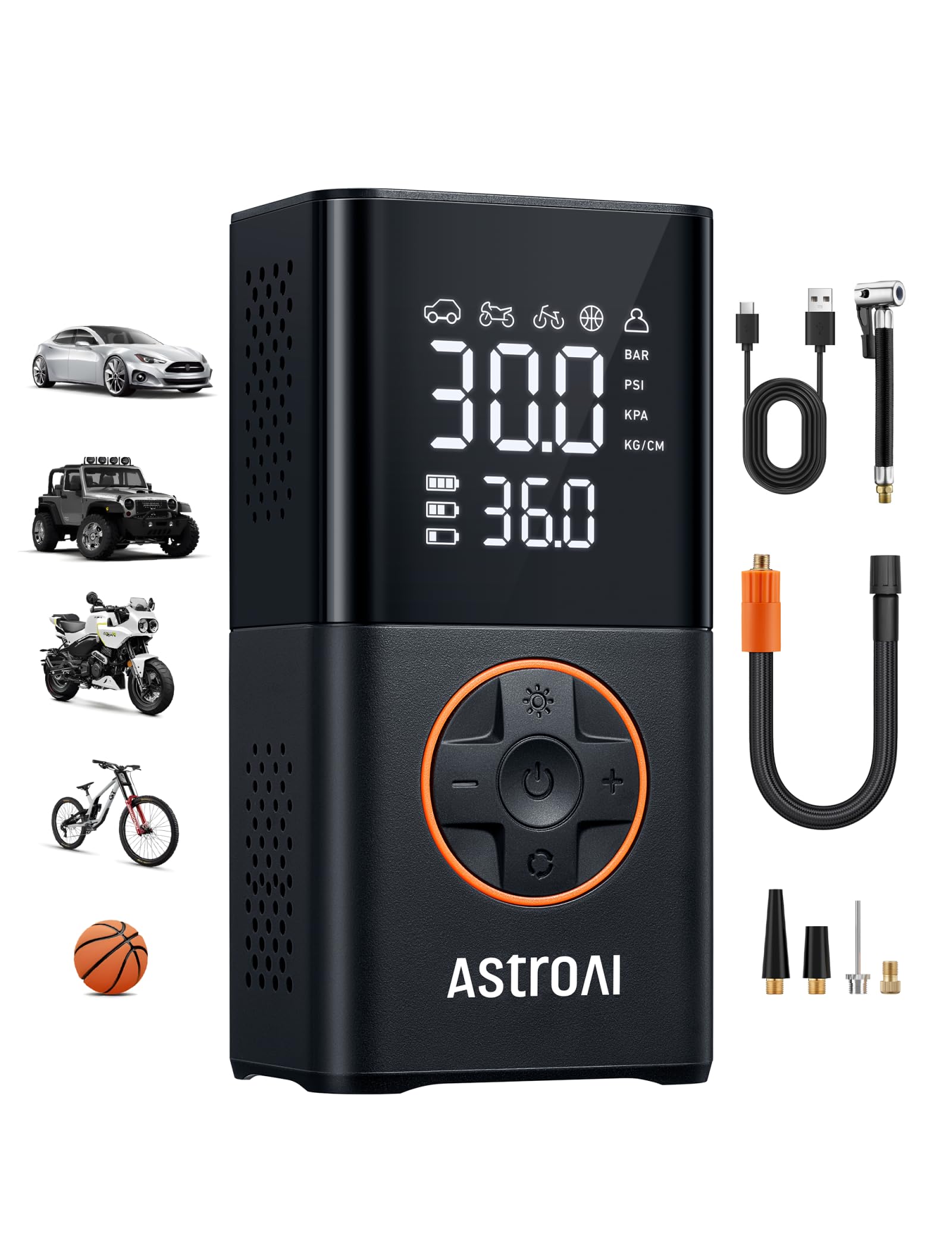
Cordless models like L7 / L7S
Check charge level, temperature, USB-C/USB cable, battery status, smart mode, and auto shutoff. These are best for portable top-offs, not repeated heavy-duty fills.

AC/DC or multi-power models like MC3
Confirm the correct mode and power input. The MC3 product data lists AC, DC, and battery power, so a “dead” unit may simply be on the wrong supply path or have a drained battery.
Video help: fuse, power and PSI checks
This external video walkthrough covers common AstroAI “not working” causes such as power, fuse, and PSI setting issues. Watch it as a visual reference, then follow your exact model’s manual.
How to avoid the same issue next time
Before inflation
- Use the recommended cold tire pressure from the vehicle placard or owner’s manual.
- Check that the preset PSI is higher than the current tire pressure.
- Uncoil the power cord and hose fully so they are not under tension.
- For cordless models, recharge before long trips.
After inflation
- Let the pump cool before storing it.
- Store adapters in the case or onboard compartment.
- Keep the pump dry and away from loose tools that can damage the hose or screen.
- Check the fuse rating and replacement part notes in the manual before you need them.
When replacement is safer than troubleshooting
Replace the inflator or contact support if the cord is damaged, the plug is hot or melted, the battery looks swollen, the unit smells burnt, the motor makes a harsh grinding sound, or the pump repeatedly fails after correct power, hose, PSI and cooldown checks.
For heavy-duty trucks, large off-road tires, RVs, trailers, or repeated tire fills, choose a model designed for that load instead of forcing a compact car inflator beyond its intended use.
FAQ
Why is my AstroAI tire inflator not turning on?
The most common causes are a loose 12V plug, a dead car outlet, a blown fuse, a drained battery, or an incorrectly attached battery pack. Check the outlet and plug first, then check the fuse or battery only as described in your model’s manual.
Why does my AstroAI tire inflator run but not inflate?
If the motor runs but pressure does not rise, the hose or nozzle may not be sealed on the valve stem. Remove the nozzle, reconnect it straight, listen for hissing, and check whether the hose or adapter is cracked or blocked.
Why does my AstroAI inflator shut off before reaching PSI?
It may be reaching the preset pressure, the preset value may be too low, the battery may be weak, or the motor may be hot. Set the target PSI above the current tire pressure and allow the unit to cool if it has been running continuously.
Why is my AstroAI tire inflator charging problem happening?
Cordless models may fail to charge because of a weak adapter, damaged cable, hot battery, very cold storage, dirty port, or aging battery. Let the unit return to room temperature, use the recommended charging cable and adapter, and stop if the battery area gets unusually hot or looks damaged.
Can I use the PSI number on the tire sidewall?
For normal inflation, use the vehicle manufacturer’s recommended cold tire pressure from the door placard or owner’s manual. The tire sidewall usually shows a maximum pressure, not the recommended everyday pressure.
Should I repair the AstroAI inflator myself?
Keep troubleshooting to safe external checks: power source, fuse if user-replaceable, hose seal, adapters, battery charge, mode, PSI setting, and cooldown. Do not open the motor housing, modify wiring, bypass safety parts, or continue using a damaged unit.
Sources used
This troubleshooting guide was built from AstroAI product-page data in the Revviso research files, the Revviso AstroAI cluster strategy, tire safety guidance from NHTSA, public AstroAI manual mirrors that list common troubleshooting causes, and the embedded external YouTube demonstration above.